Developed By: Eng. Aous Hemdan
A standalone desktop application (PyQt6 + SQLite) designed to run offline on a single laptop without requiring an internet connection or an external server. Supports cash payments only.
Note: This is not a real-time live cashier POS screen; the primary workflow involves logging customer orders/invoices after they are received.
Key Features & Screen Overview (9 Screens)
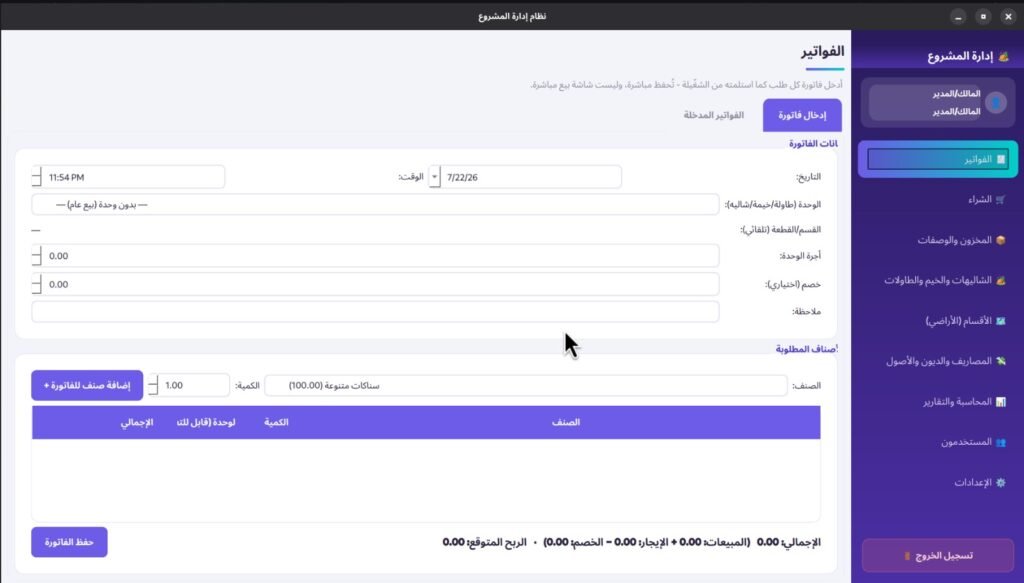
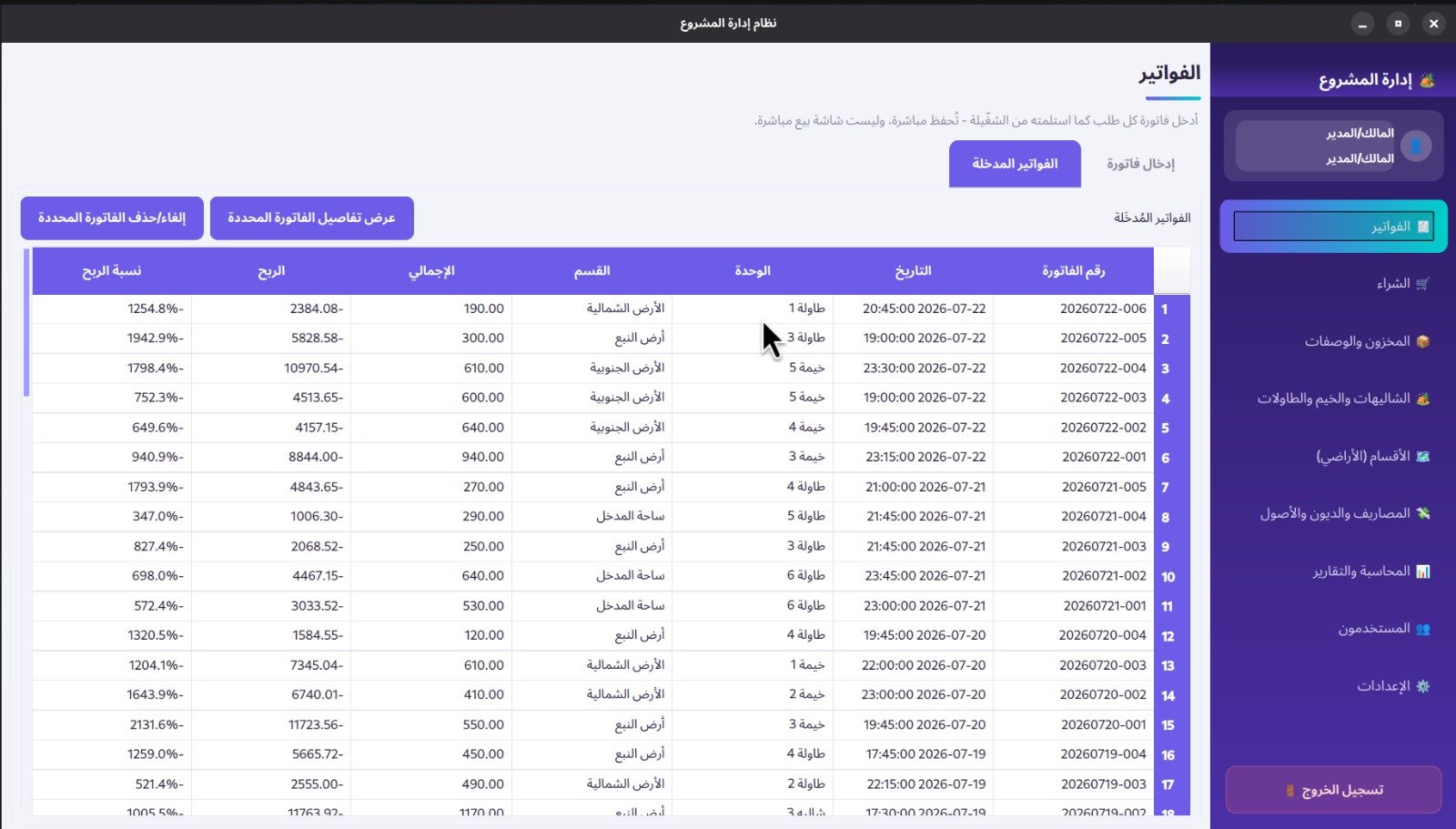
- Invoices (Main Screen):
- Visual Catalog: Color-coded item cards; clicking an item instantly adds it to the current order.
- Side Cart: Select the assigned unit (Table / Tent / Chalet); the section and price populate automatically.
- Flexible Cart Management: Quick search bar; manual editing for unit prices and quantities in the cart; optional total discount field.
- Saved Invoices Log: A table at the bottom displaying all saved invoices, including total profit and profit margin percentage for each order.
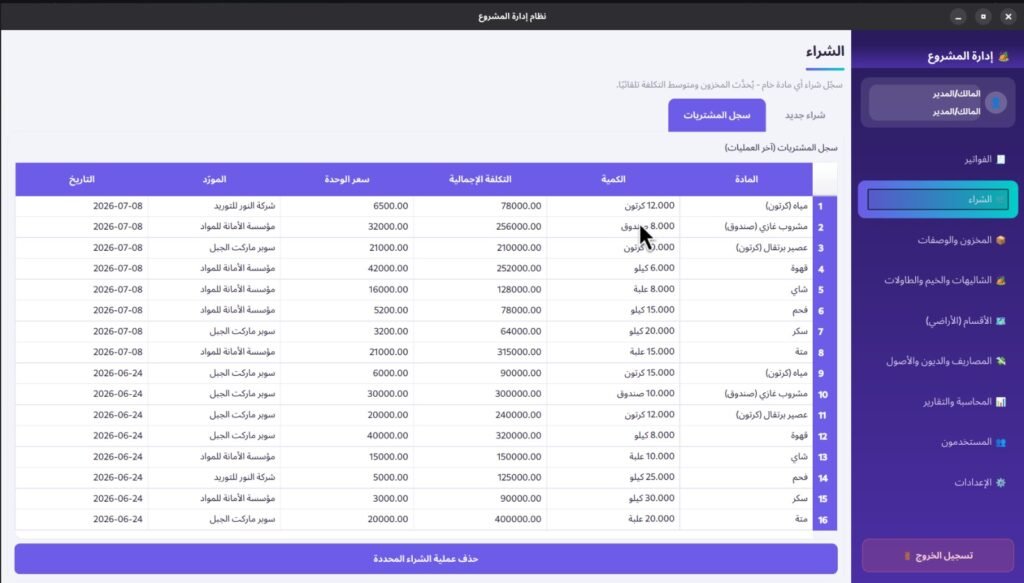
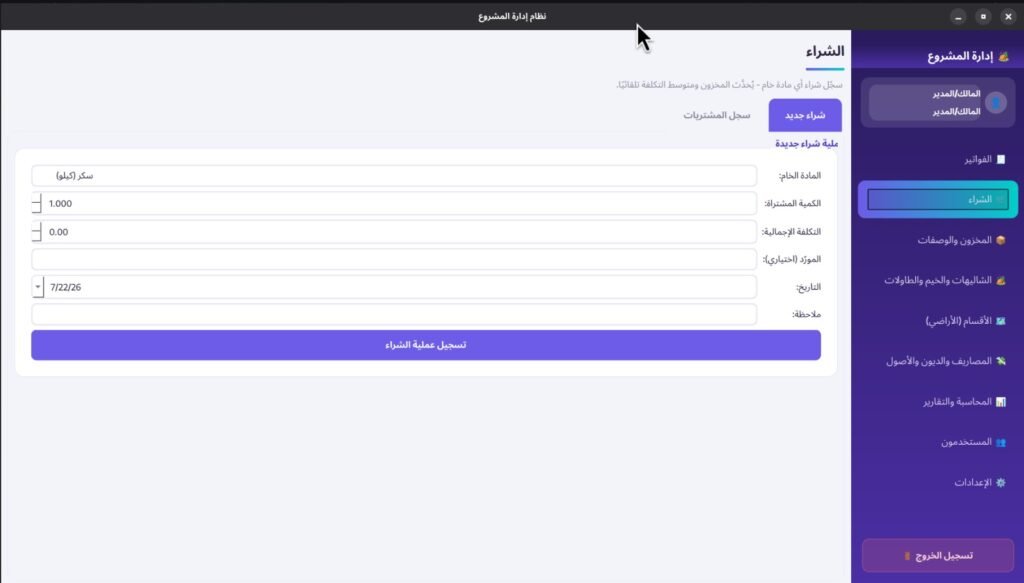
- Purchases:
- Log raw material purchases (Quantity + Total Cost).
- Automatic calculation of the Weighted Average Cost per unit to dynamically update inventory valuation.
- Complete historical purchasing log.
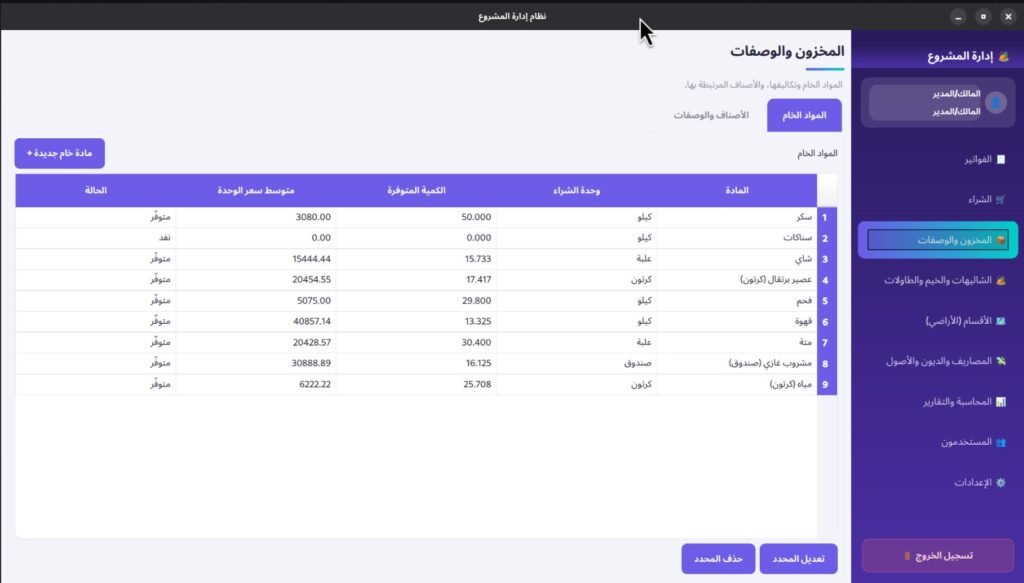
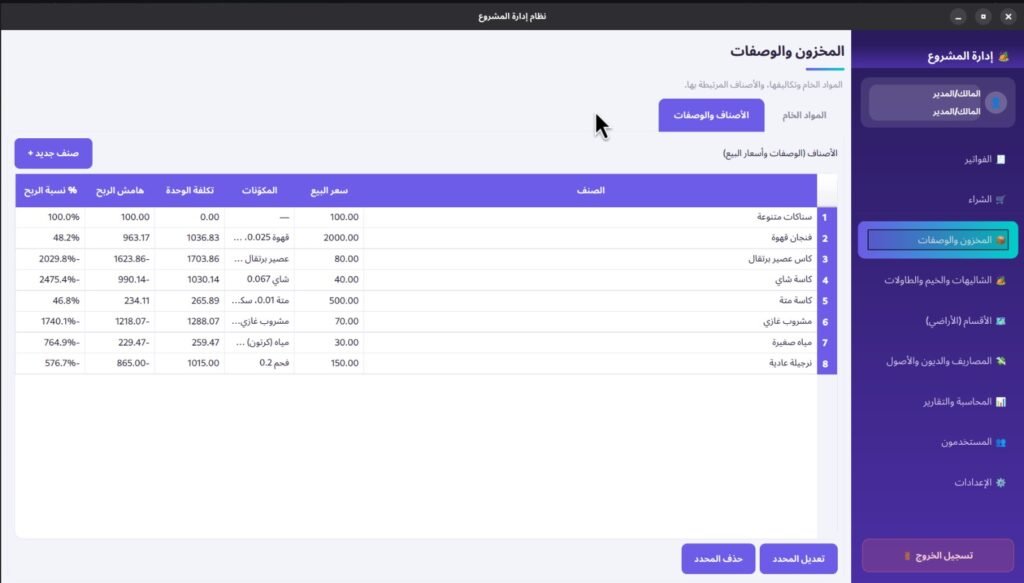
- Inventory & Recipes:
- Raw Materials Directory: Name, unit of measure, available quantity, and average unit price.
- Item Costing: Links items to raw materials using a “Yield Factor” (e.g., 1 box of Mate = 10 cups), automatically calculating cost per cup and profit margin. (Designed to be expanded for multi-ingredient recipes).
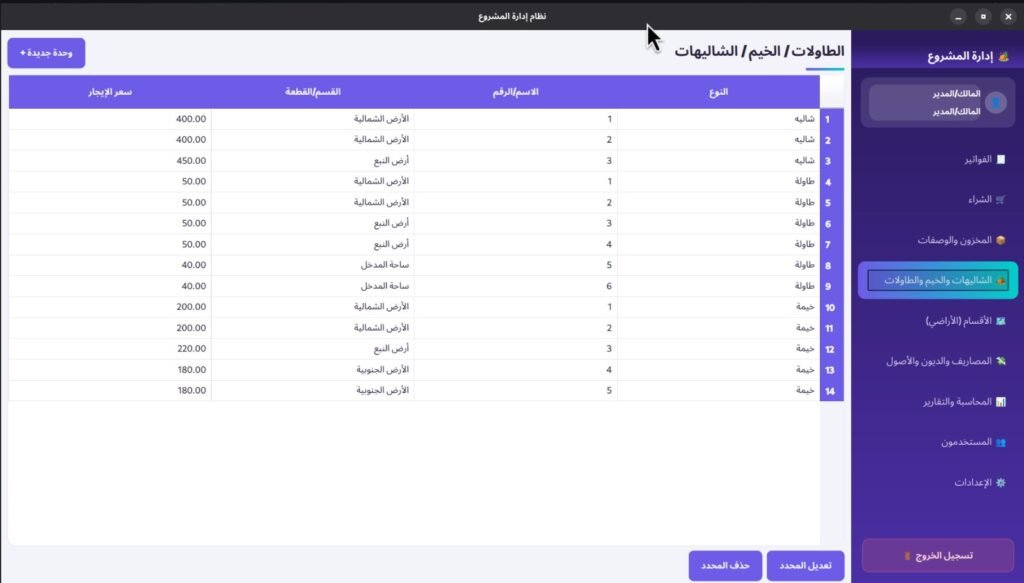
- Chalets, Tents & Tables:
- Simple management table: Type, Name, Assigned Section/Land, and Base Rental Rate.
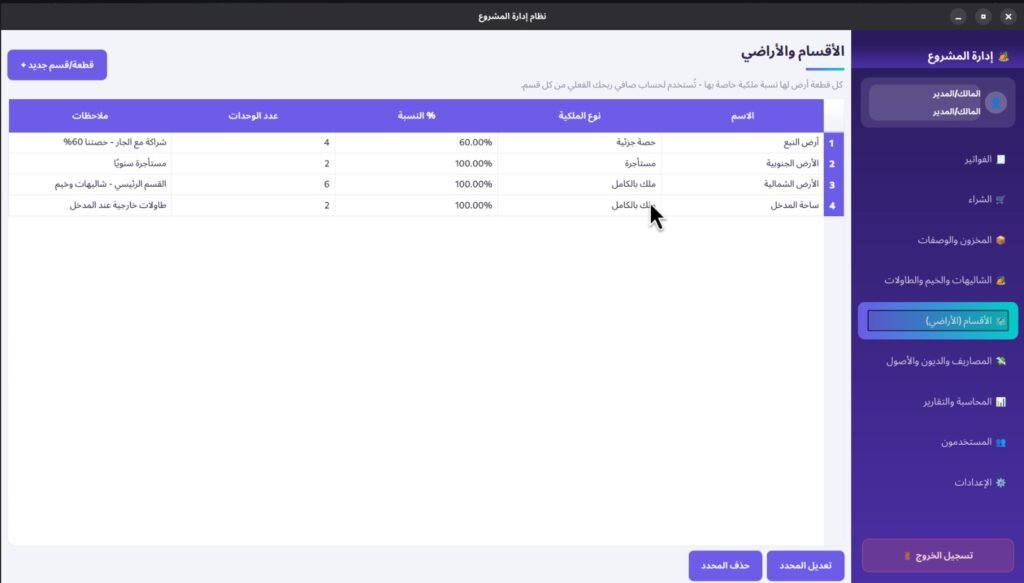
- Sections & Properties (Land Units):
- Manage different properties/sections with customizable ownership percentages (Full Ownership / Partial Share / Rented).
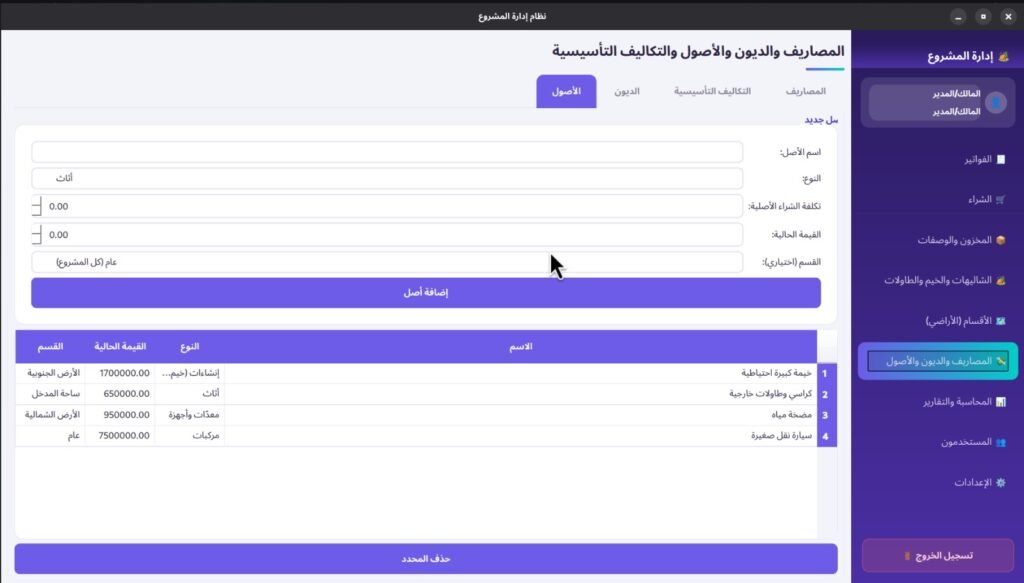
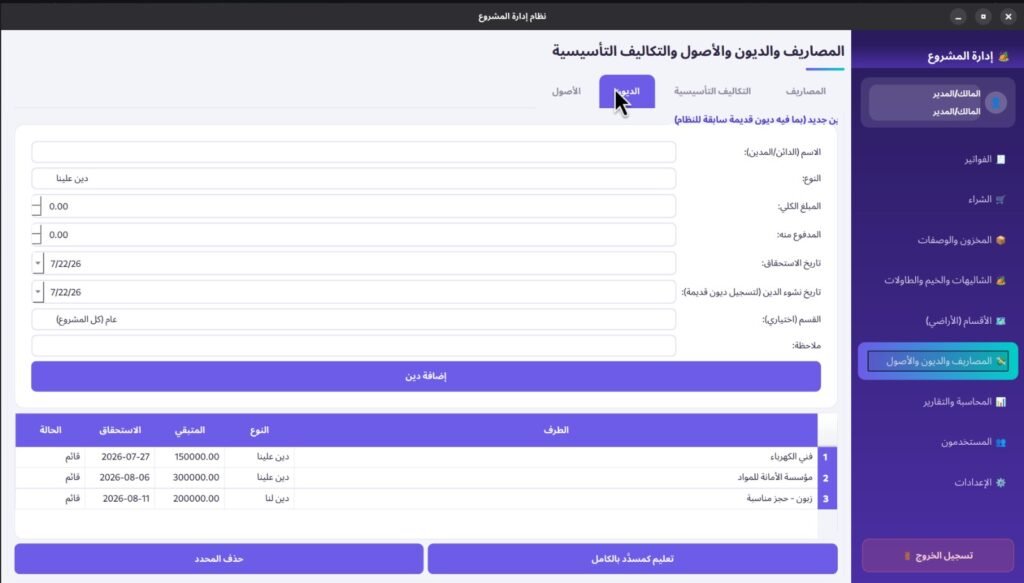
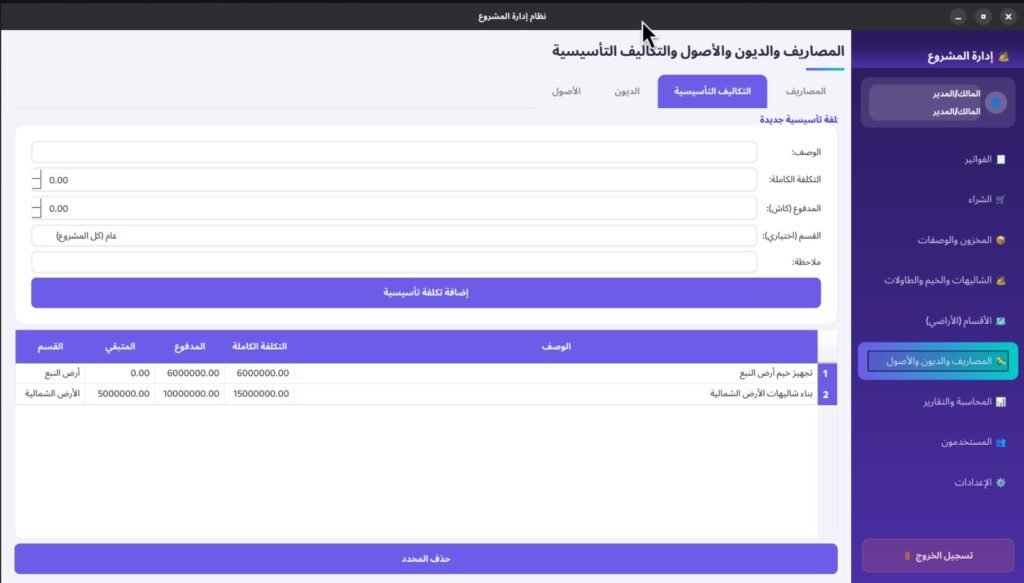
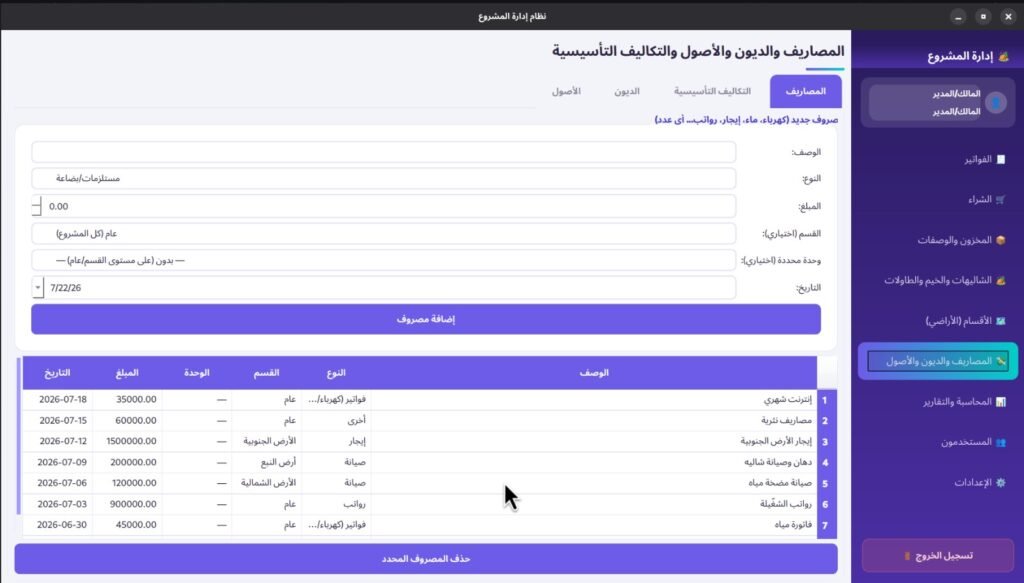
- Expenses, Debts & Assets(Admin Only):
- Categorize any number of expenses (assigned to a specific section or general operations).
- Track startup/capital costs, fixed assets, and outstanding debts (includes historical creation dates to log legacy debts).
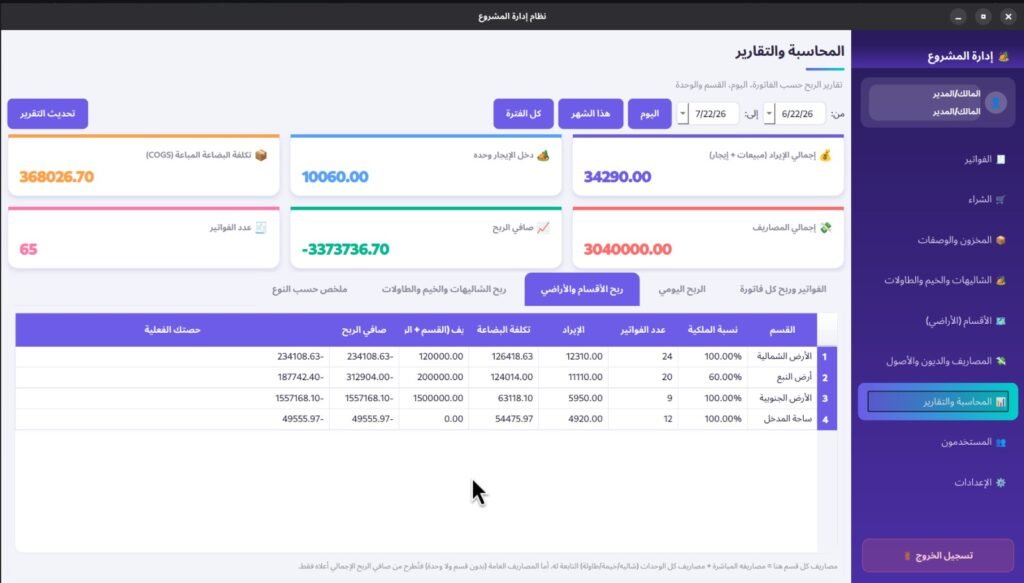
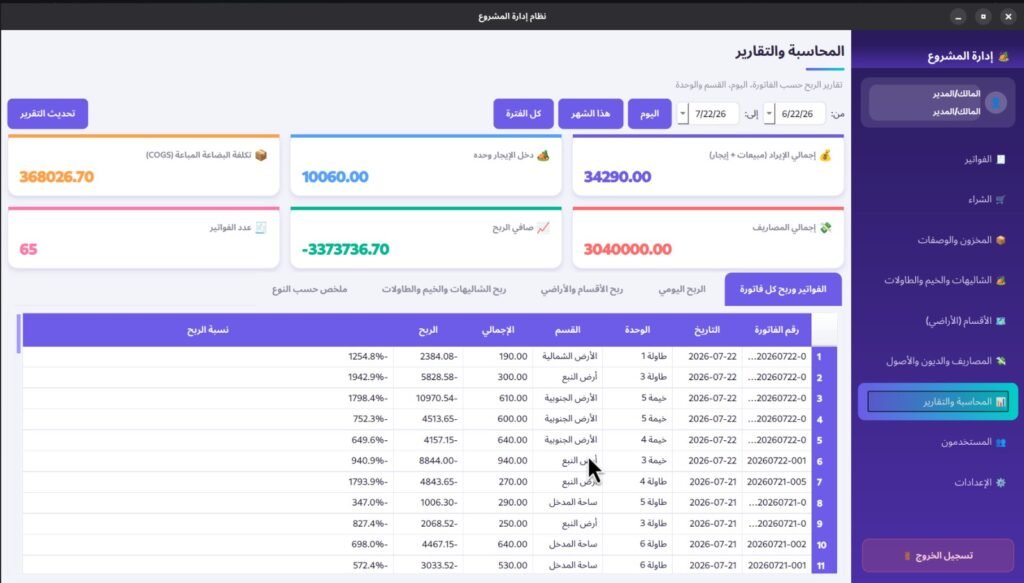
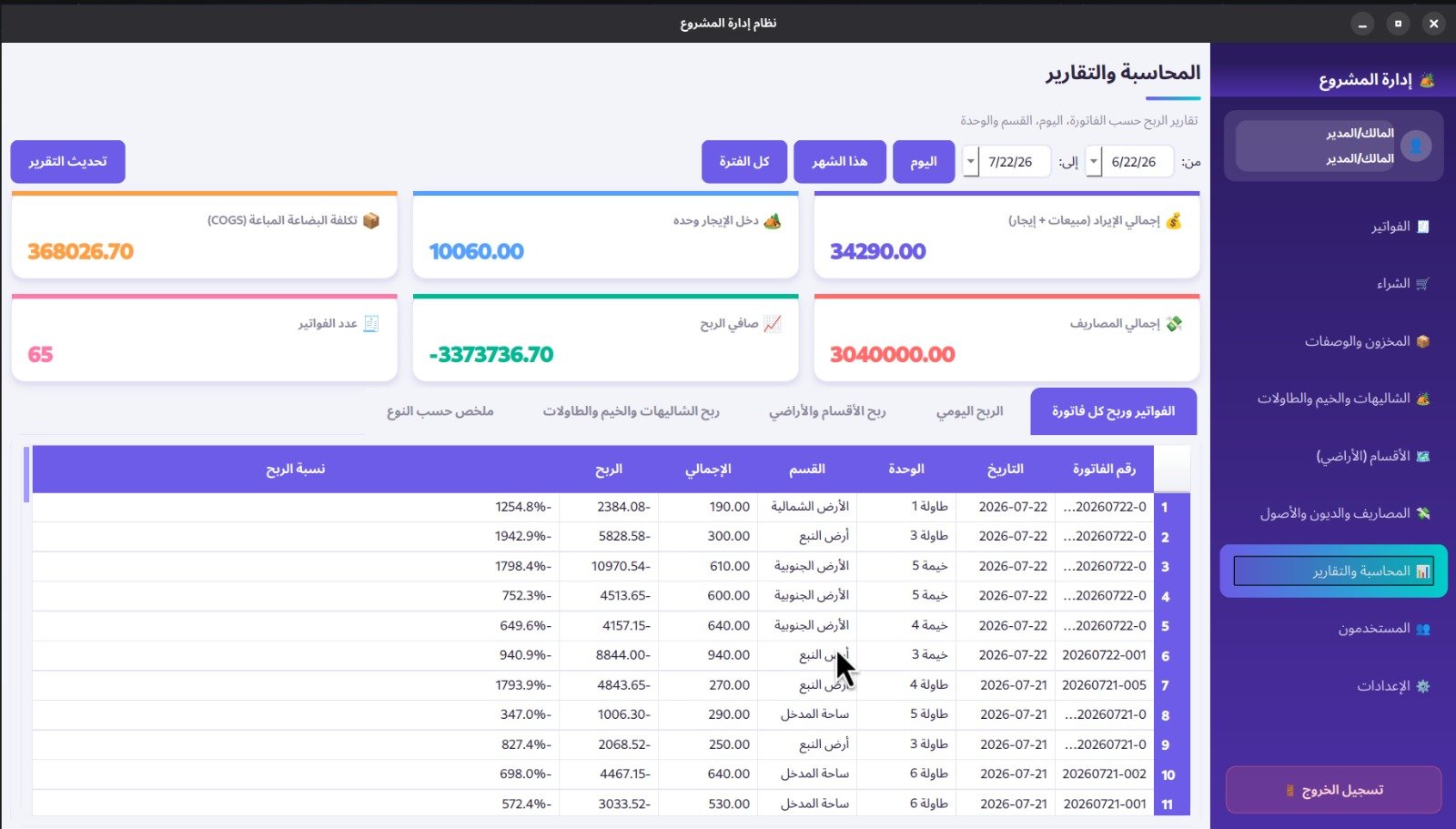
- Accounting & Reports(Admin Only):
- Custom date-range filtering.
- Comprehensive Reports: Individual invoice profit, daily net profit, section/land profit (adjusted for your actual ownership percentage), and individual unit performance (per chalet, tent, or table).
- User Management(Admin Only):
- Role-Based Access Control: Admin vs. Employee accounts.
- Staff Directory: Manage non-login staff/worker profiles for operational tracking.
- Settings(Admin Only):
- System configuration: Business Name, Location, Phone Number, and Currency Symbol.
Access Control & Permissions
- Admin: Unrestricted access to all 9 screens.
- Employee: Restricted access limited to Invoices, Purchases, and Inventory.